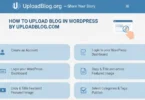
Are you wondering how to upload blog on Google by UploadBlog.com? If yes, then you are in the right place. Uploading your blog on Google is an important step to reach more readers and grow your online presence. With UploadBlog.com, even beginners can easily create, upload, and share their blogs without any technical difficulties.
What is UploadBlog.com?
UploadBlog.com is an online platform that allows you to write and upload blogs easily: It is user friendly, beginner friendly, and designed to help anyone share their thoughts online.
- Easy account creation process
- No technical knowledge required
- Ability to add images, videos, and links
- Categories and tags for better organization
- Secure and reliable platform
Using UploadBlog.com, you can focus on writing quality content instead of worrying about website setup or hosting.
Why Uploading a Blog on Google is Important
Google is the most popular search engine, and appearing in its search results can help you get traffic, recognition, and opportunities.
- Increases your website or blog visibility
- Helps you reach readers worldwide
- Improves your credibility as a blogger
- Attracts more engagement and comments
- Supports growth for your personal brand or business
Without Google indexing, even the best-written blogs might not get noticed, so this step is essential.
Creating an Account on UploadBlog.com
Before you can upload a blog, you need to create an account on UploadBlog.com:
- Visit the official UploadBlog.com website
- Click on “Sign Up” or “Register”
- Enter your full name, email address, and password
- Confirm your password and agree to terms of service
- Verify your email by clicking on the link sent to your inbox
- Log in using your registered email and password
Tips for account creation:
- Use a professional email for blogging
- Choose a strong password to keep your account secure
- Remember your login details to avoid problems later
Preparing Your Blog for Upload
Before uploading, it is important to prepare your content:
- Choose a clear and specific topic that readers will find interesting
- Write your blog in simple, easy to read English
- Add headings and subheadings to organize content
- Include images, screenshots, or videos for better understanding
- Check for grammar errors and spelling mistakes
Your content must be original.
Uploading Your Blog on UploadBlog.com
Now, it is time to upload your blog:
- Log in to your UploadBlog.com account
- Click on “Create New Blog” or “Upload Article”
- Enter your blog title
- Copy and paste your prepared content into the editor
- Add images or videos if needed
- Select the relevant category and add tags for SEO
- Review your blog for errors and formatting issues
- Click on “Publish” to make your blog live
Optimizing Your Blog for Google Search
To get your blog noticed on Google, SEO optimization is crucial:
- Use keywords naturally in the title and content
- Write a meta description with main keywords
- Use headings (H1, H2, H3) properly
- Add internal links to your previous blogs
- Include external links to authoritative websites
- Compress images for faster loading speed
If your blog is about “how to upload blog on Google by UploadBlog.com,” mention this keyword in the title, first paragraph, and meta description.
Submitting Your Blog to Google
Once your blog is uploaded, it’s time to submit it to Google for indexing:
- Open Google Search Console
- Add your blog URL to the console
- Click on “Request Indexing”
- Wait for Google to crawl and index your blog
Sharing and Promoting Your Blog
After uploading, promotion is essential to attract readers:
- Share on social media platforms like Facebook, Twitter, Instagram
- Send your blog link to friends and family
- Join blogging groups and forums to share your content
- Use free tools like Canva to create promotional images
- Encourage readers to comment and share your blog
Common Mistakes to Avoid
Avoiding mistakes will improve your blog success:
- Uploading low quality or copied content
- Ignoring SEO best practices
- Not adding images or headings
- Forgetting to check grammar and spelling
- Overusing keywords (keyword stuffing)
- Ignoring reader engagement and comments
Tips:
- Always proofread your content
- Keep SEO in mind while writing
- Make your blog visually appealing
Common FAQs About How To Upload Blog on Google By UploadBlog.com
Some faqs of how to upload blog on google by uploadblog.com:
How long does it take for my blog to appear on Google?
Usually, it takes 1-7 days after indexing, depending on Google is crawl speed.
Can I edit my blog after uploading?
Yes, UploadBlog.com allows you to edit your blog anytime.
Do I need a paid account to upload?
No, you can upload for free with UploadBlog.com.
Is UploadBlog.com safe for beginners?
Yes, it is a secure and beginner friendly platform.
Can I add images and videos?
Yes, multimedia can be added to make your blog attractive.
How do I make my blog SEO friendly?
Use proper keywords, headings, meta descriptions, and links.
Will Google automatically index my blog?
No, you need to submit it through Google Search Console.
Can I schedule my blog for future publishing?
Yes, UploadBlog.com allows scheduling posts.
Do I need technical knowledge?
No, the platform is simple and user friendly.
How can I increase traffic to my blog?
Share on social media, optimize SEO, engage with readers, and promote in groups.
Conclusion
Uploading your blog on Google by UploadBlog.com is easier than you think: By following this step-by-step guide, you can create, upload, optimize, and promote your blog without any technical difficulties.
Remember to focus on high-quality content, use proper SEO techniques, and engage with your audience to get the best results. Using UploadBlog.com, beginners can easily reach readers worldwide and make their blogs successful.