If you are wondering what is UploadBlog.com and how does it work?, you are in the right place. UploadBlog.com is an easy to use online platform where anyone can create and publish articles, share ideas, and reach a wider audience.
Whether you are a beginner writer, a business owner, or someone who loves to share knowledge, UploadBlog.com makes publishing content simple and fast.
Key Purpose of UploadBlog.com
The main purpose of UploadBlog.com is to provide a platform for content creation and publishing that is simple and effective. Unlike traditional blogging platforms, UploadBlog.com focuses on helping users reach their audience quickly without worrying about technical details.
Some key purposes include:
- Helping beginners publish content easily
- Assisting businesses in promoting products and services
- Providing a platform for writers to improve their skills
- Allowing users to reach a wider audience globally
The platform also encourages users to write original and informative content. By publishing high-quality articles, you can gain credibility, followers, and even opportunities for business growth.
How UploadBlog.com Works
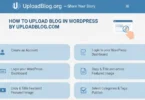
Understanding how UploadBlog.com works is very simple. The platform is designed to guide users from account creation to publishing articles efficiently. Here is an overview of its working process:
- Create an account: Sign up with basic information.
- Explore the dashboard: Check available tools and features.
- Write your article: Use the editor to add headings, content, and images.
- Add SEO elements: Include keywords, meta descriptions, and tags.
- Select a category: Categorize your article for better visibility.
- Preview and publish: Review the content and publish it online.
This step by step workflow ensures that even beginners can start publishing articles without any technical help.
Creating an Account on UploadBlog.com
Creating an account is the first step to start publishing on UploadBlog.com. Here is how you can do it:
- Visit UploadBlog.com: Open the website on any browser.
- Click on Sign Up: Find the registration button on the homepage.
- Fill in basic information: Name, email, password, and username.
- Verify your account: Use your email to confirm registration.
- Log in: Enter your details to access the dashboard.
Once your account is active, you can immediately start writing and publishing your content. It is completely free and takes only a few minutes to set up.
Exploring the Dashboard
The dashboard is where you manage everything on UploadBlog.com. It is simple, organized, and easy to navigate. Key sections include:
- New Post: Start writing a new article
- My Articles: View all published and draft posts
- Categories: Choose categories for better audience targeting
- Analytics: Check views, clicks, and engagement
- Profile Settings: Update your information and preferences
By understanding the dashboard, you can efficiently manage your content and track your performance.
How to Write and Publish an Article
Publishing an article on UploadBlog.com is straightforward. Follow these steps:
- Start a new post: Click on the ‘New Post’ button
- Add a title: Make it catchy and include keywords
- Write content: Use simple, clear language
- Use headings and subheadings: Organize content for easy reading
- Add images or videos: Enhance engagement with visuals
- SEO Optimization: Include meta description, tags, and internal links
- Preview the article: Check formatting and correctness
- Publish: Click publish to make it live
Tips for writing effective articles:
- Keep paragraphs short and easy to read
- Use bullet points for important details
- Add relevant keywords naturally
- Avoid plagiarism
Understanding UploadBlog Categories
Categories help your article reach the right audience. Choosing the correct category ensures that readers interested in your topic can find your content easily. Popular categories include:
- Technology
- Health and Fitness
- Education
- Business and Marketing
- Lifestyle and Travel
Always choose a category that matches your article’s content to improve visibility and engagement.
SEO Features of UploadBlog.com
UploadBlog.com comes with built-in SEO features to help your articles rank higher on search engines. Important SEO elements include:
- Keyword Placement: Include your main keyword in the title and content
- Meta Description: Write a short summary of the article for search engines
- URL Structure: Make it simple and readable
- Internal Linking: Link to other articles on UploadBlog for better navigation
- Tags: Add relevant tags to reach more readers
Using these SEO features effectively increases your chances of getting more traffic and higher ranking on Google.
How UploadBlog Helps Articles Rank Faster
UploadBlog.com is designed to make content indexing and ranking faster. Benefits include:
- High Domain Authority: Google trusts the platform
- Mobile Friendly Design: Articles can be read on any device
- Fast Loading: Quick website speed improves ranking
- Clean Interface: Easy to read and navigate
- Internal Linking: Helps Google understand your content
These factors together make it easier for your articles to appear on search engines and reach a larger audience.
Benefits of Using UploadBlog.com
UploadBlog.com offers numerous advantages for users:
- Free and easy to use
- No need for technical knowledge
- Helps beginners and professionals alike
- Safe and secure publishing
- Ability to reach a global audience
- Built in SEO tools to improve ranking
Using UploadBlog.com regularly can improve writing skills, boost online presence, and even generate business opportunities.
Things You Should Not Do on UploadBlog.com
Avoid these common mistakes:
- Copying content from other sources
- Keyword stuffing
- Publishing spam or irrelevant posts
- Using offensive or adult content
- Violating copyright rules
- Ignoring formatting and readability
Following these guidelines ensures your account remains safe and your articles reach the right audience.
How to Share Your Published Article
After publishing, promote your content to reach more readers:
- Share on social media platforms: Facebook, Twitter, Instagram
- Send links through WhatsApp or email
- Use relevant hashtags for better visibility
- Encourage friends and followers to read and share
- Build backlinks to increase traffic
Sharing articles increases engagement, attracts new readers, and improves your online presence.
Common FAQs About What Is Uploadblog.com And How Does It Work?
Some Faqs of what is uploadblog.com and how does it work?
Is UploadBlog.com free to use?
Yes, anyone can sign up and publish articles for free.
Can beginners use UploadBlog.com?
Absolutely, the platform is beginner friendly with simple tools.
How do I add images to my articles?
You can upload images directly from your computer while writing your post.
Can I edit my article after publishing?
Yes, you can edit, update, or delete any published article.
How does SEO work on UploadBlog.com?
It allows meta description, tags, keyword placement, and internal linking for better ranking.
Can I make money from UploadBlog.com?
Direct monetization is not available, but high-quality content can lead to business opportunities.
How long does it take for my article to be visible?
Once published, your article is live immediately. Search engine indexing may take some time.
Are there any restrictions on content?
Yes, offensive, adult, and spam content is not allowed.
Can I categorize my article?
Yes, UploadBlog.com allows you to select categories to improve visibility.
Is UploadBlog.com safe to use?
Yes, it is a secure platform with user privacy and content protection.
Conclusion
UploadBlog.com is an excellent platform for anyone who wants to write, publish, and share articles online. It is simple, beginner friendly, and packed with features that help your content reach a wider audience. By following the step by step guide in this article, you can create an account, write high-quality articles, optimize them for SEO, and share them to gain traffic. The platform is built in tools, categories, and SEO support make it an ideal choice for writers, students, and business owners.