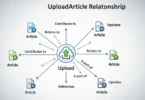
UploadBlog.com online posting makes it easy for anyone to create and publish content quickly. Whether you are a beginner or an experienced writer, this platform provides simple tools to write, format, and share your blogs online. In this guide, we will show you step by step how to post online on UploadBlog.com and reach a wider audience effectively.
Benefits of Posting Online on UploadBlog.com
Posting online on UploadBlog.com comes with many benefits:
- Reach a wide audience: Your blogs can be read by people from different countries and communities.
- Easy to use platform: UploadBlog.com is simple and user-friendly, making posting easy even for beginners.
- Free platform: You do not need to pay anything to start posting your blogs.
- Build your personal brand: Regular posting helps you establish yourself as an expert in your niche.
- Share knowledge and ideas: You can educate, inspire, or entertain readers through your content.
- Improve writing skills: Frequent writing and publishing will enhance your writing abilities.
Creating an Account on UploadBlog.com
Before you can post online, you need to create an account:
- Visit the official website of UploadBlog.com.
- Click on the “Sign Up” button.
- Enter your details: Name, Email, and Password.
- Confirm your email by clicking the verification link.
- Log in to your account after verification.
Tips for account setup:
- Use a professional email for better credibility.
- Choose a strong password for security.
- Complete your profile with a profile picture and description to attract readers.
Understanding the UploadBlog.com Dashboard
Once you log in, you will see the dashboard. The dashboard is your main control center for posting blogs. Important sections include:
- New Post: Start writing a new blog.
- Drafts: Save unfinished posts to continue later.
- Published Posts: View all your published content.
- Categories: Organize your content by topic.
- Comments: Check feedback from readers.
The dashboard is simple and easy to navigate, which makes it convenient for beginners to post online.
Step by Step Guide to Creating a New Blog Post
Creating a blog post on UploadBlog.com is straightforward. Here’s how:
- Click on “New Post”.
- Add a clear and engaging title.
- Write your content in simple English so that everyone can understand.
- Use headings and subheadings to organize your content.
- Add images, videos, or links to make your post visually attractive.
- Preview your post to check for errors and layout issues.
- Save as draft if you want to review later.
- Click “Publish” when ready.
Best practices:
- Keep paragraphs short and readable.
- Use bullet points to highlight important information.
- Add examples and real-life tips to engage readers.
Using Categories and Tags Effectively
Categories and tags help organize your content and improve SEO:
- Categories: Broad topics that describe your blog’s main theme. Example: Health, Technology, Lifestyle.
- Tags: Specific keywords related to your post. Example: Online Posting, Blog Tips, UploadBlog.com.
Tips for using categories and tags:
- Choose categories relevant to your post.
- Use 5-10 tags per post for better search visibility.
- Avoid irrelevant tags that confuse readers or search engines.
Optimizing Your Blog Post for SEO
To get more readers, your post must be search engine friendly:
- Keywords: Include main keywords like “uploadblog.com online posting” naturally.
- Meta title and description: Add catchy and relevant meta tags.
- Images: Use descriptive alt text for every image.
- Internal links: Link to your other blog posts for more engagement.
- External links: Link to reliable sources to increase trustworthiness.
- Readable format: Short paragraphs, bullet points, and headings improve readability.
Publishing Your Blog on UploadBlog.com
After writing and optimizing your post:
- Do a final review for grammar and formatting.
- Click “Publish”.
- Share your post on social media platforms.
- Monitor post engagement through dashboard analytics.
Share updates or edits to improve post relevance.
Promoting Your UploadBlog.com Posts
Promotion is key to reaching a wider audience:
- Share your posts on Facebook, Twitter, LinkedIn, and Instagram.
- Join online communities and forums relevant to your blog topic.
- Include links in email newsletters to subscribers.
- Collaborate with other bloggers for guest posting.
- Post during peak hours for maximum visibility.
Common Mistakes to Avoid
Avoid these mistakes to improve your blogging success:
- Ignoring post formatting and readability.
- Overstuffing keywords in content.
- Skipping images, videos, or media.
- Publishing without proofreading.
- Not responding to readers’ comments.
Common FAQs About UploadBlog.com Online Posting
Some Faqs of UploadBlog.com Online Posting:
How long does it take to post on UploadBlog.com?
Usually, 10-15 minutes depending on content length.
Can I edit my post after publishing?
Yes, you can edit anytime.
Is UploadBlog.com free?
Yes, it is completely free for beginners and professionals.
Can I add images and videos?
Yes, you can add multimedia content to make posts attractive.
How to choose the right category?
Pick the category most relevant to your post topic.
How to improve my post visibility?
Use proper SEO, tags, and social sharing.
Can beginners post easily?
Yes, the platform is beginner friendly.
Do I need technical skills?
No, UploadBlog.com is designed for all skill levels.
How often should I post?
Regular posting, 2-3 times a week, increases visibility.
Can I monetize my blog?
Yes, you can use affiliate links or other methods.
Conclusion
Uploadblog.com online posting is a simple and effective way to share your ideas, stories, and knowledge with a wide audience. By following the step by step guide, you can create, optimize, and publish high quality blogs even as a beginner. Remember to use proper headings, categories, tags, and multimedia to make your posts engaging.
Consistent posting and smart promotion will help you grow your readership, improve your writing skills, and build a personal or professional brand online. Start posting today on UploadBlog.com and take full advantage of this powerful platform to reach readers everywhere.